Lately I spent some time evaluating some monitoring tools for SQL Server and one thing that struck me very negatively is how none of them (to date) has been reporting database free space correctly. I was actively evaluating one of those tools when one of my production databases ran out of space without any sort of warning. I was so upset that I decided to code my own monitoring script.
[Read More]Announcing ExtendedTSQLCollector
I haven’t been blogging much lately, actually I haven’t been blogging at all in the last 4 months. The reason behind is I have been putting all my efforts in a new project I started recently, which absorbed all my attention and spare time.
I am proud to announce that my project is now live and available to everyone for download.
 The project name is ExtendedTSQLCollector and you can find it at http://extendedtsqlcollector.codeplex.com. As you may have already guessed, it’s a bridge between two technologies that were not meant to work together, that could instead bring great advantages when combined: Extended Events and Data Collector.
Hangout #18 with Boris Hristov
Yesterday evening I had the honour and pleasure of recording one of his famous SQL Hangout with my friend Boris Hristov (b|t).
We discussed some of the new features in SQL Server 2014, in particular the new Cardinality Estimator and the Delayed Durability. Those are definitely interesting innovations and something everybody should be checking out when planning new work on SQL Server 2014. The two features have nothing to do with each other, but we decided to speak about both of them nevertheless.
[Read More]Uniquifiers: all rows or the duplicate keys only?
Some days ago I was talking with my friend Davide Mauri about the uniquifier that SQL Server adds to clustered indexes when they are not declared as UNIQUE.
We were not completely sure whether this behaviour applied to duplicate keys only or to all keys, even when unique.
The best way to discover the truth is a script to test what happens behind the scenes:
-- =============================================
-- Author:      Gianluca Sartori - @spaghettidba
-- Create date: 2014-03-15
-- Description: Checks whether the UNIQUIFIER column
--              is added to a column only on
--              duplicate clustering keys or all
--              keys, regardless of uniqueness
-- =============================================

USE tempdb
GO

IF OBJECT_ID('sizeOfMyTable') IS NOT NULL
    DROP VIEW sizeOfMyTable;
GO

-- Create a view to query table size information
-- Not very elegant, but saves a lot of typing

CREATE VIEW sizeOfMyTable
AS
SELECT OBJECT_NAME(si.object_id) AS table_name,
    si.name AS index_name,
    SUM(total_pages) AS total_pages,
    SUM(used_pages) AS used_pages,
    SUM(data_pages) AS data_pages
FROM sys.partitions AS p
INNER JOIN sys.allocation_units AS AU
    ON P.hobt_id = AU.container_id
INNER JOIN sys.indexes AS si
    ON si.index_id = p.index_id
    AND si.object_id = p.object_id
WHERE si.object_id = OBJECT_ID('#testUniquifier')
GROUP BY OBJECT_NAME(si.object_id),
    si.name
GO

IF OBJECT_ID('#testUniquifier') IS NOT NULL
    DROP TABLE #testUniquifier;

-- Create a test table

CREATE TABLE #testUniquifier (
    i int NOT NULL
)

-- Results table: will receive table size
-- in different scenarios

DECLARE @results TABLE(
    description varchar(500),
    table_name sysname,
    index_name sysname,
    total_pages int,
    used_pages int,
    data_pages int
);

-- INSERTS 100K UNIQUE VALUES

INSERT INTO #testUniquifier
SELECT TOP(100000) ROW_NUMBER() OVER(ORDER BY (SELECT NULL))
FROM sys.all_columns AS AC
CROSS JOIN sys.all_columns AS AC1;

-- -----------------------------------------------------------------
-- TEST1: CREATES A UNIQUE CLUSTERED INDEX (NO UNIQUIFIER)
-- -----------------------------------------------------------------

CREATE UNIQUE CLUSTERED INDEX UK_test ON #testUniquifier(i);

INSERT @results
SELECT 'Unique clustered index' AS description, * FROM sizeOfMyTable;

DROP INDEX UK_test ON #testUniquifier

-- -----------------------------------------------------------------
-- TEST2: CREATES A NON-UNIQUE CLUSTERED INDEX
--        NO DUPLICATES ARE PRESENT YET
-- -----------------------------------------------------------------

CREATE CLUSTERED INDEX IX_test ON #testUniquifier(i)

INSERT @results
SELECT 'Non-Unique clustered index, no duplicates' AS description, * FROM sizeOfMyTable

DROP INDEX IX_test ON #testUniquifier

-- -----------------------------------------------------------------
-- TEST3: CREATES A NON-UNIQUE CLUSTERED INDEX
--        10000 DUPLICATE VALUES ARE PRESENT
-- -----------------------------------------------------------------

UPDATE TOP(10000) #testUniquifier SET i = 1

CREATE CLUSTERED INDEX IX_test ON #testUniquifier(i)

INSERT @results
SELECT 'Non-Unique clustered index, some duplicates' AS description, * FROM sizeOfMyTable

DROP INDEX IX_test ON #testUniquifier

-- -----------------------------------------------------------------
-- TEST4: CREATES A NON-UNIQUE CLUSTERED INDEX
--        ALL ROWS CONTAIN THE SAME VALUE (1)
-- -----------------------------------------------------------------

UPDATE #testUniquifier SET i = 1

CREATE CLUSTERED INDEX IX_test ON #testUniquifier(i)

INSERT @results
SELECT 'Non-Unique clustered index, all duplicates' AS description, * FROM sizeOfMyTable

-- -----------------------------------------------------------------
-- Display results
-- -----------------------------------------------------------------

SELECT *
FROM @results;
As you can see, the uniquifier is added only to the keys that are duplicated:
[Read More]Verdasys Digital Guardian and SQL Server
I’m writing this post as a reminder for myself and possibly to help out the poor souls that may suffer the same fate as me.
There’s a software out there called “Digital Guardian” which is a data loss protection tool. Your computer may be running this software without you knowing: your system administrators may have installed it in order to prevent users from performing operations that don’t comply to corporate policies and may lead to data loss incidents.
[Read More]Non-unique indexes that COULD be unique
In my last post I showed a query to identify non-unique indexes that should be unique.
You maybe have some other indexes that could be unique based on the data they contain, but are not.
To find out, you just need to query each of those indexes and group by the whole key, filtering out those that have duplicate values. It may look like an overwhelming amount of work, but the good news is I have a script for that:
[Read More]Non-unique indexes that should be unique
Defining the appropriate primary key and unique constraints is fundamental for a good database design.
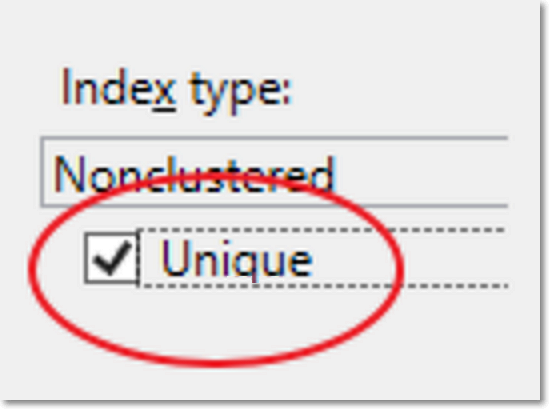
One thing that I often see overlooked is that all the indexes with a key that includes completely another UNIQUE index’s key should in turn be created as UNIQUE. You could argue that such an index has probably been created by mistake, but it’s not always the case.
If you want to check your database for indexes that can be safely made UNIQUE, you can use the following script:
[Read More]SQL Server Agent in Express Edition
As you probably know, SQL Server Express doesn’t ship with SQL Server Agent.
This is a known limitation and many people offered alternative solutions to schedule jobs, including windows scheduler, free and commercial third-party applications.
My favourite SQL Server Agent replacement to date is Denny Cherry’s Standalone SQL Agent, for two reasons:
- It uses msdb tables to read job information. This means that jobs, schedules and the like can be scripted using the same script you would use in the other editions.
- It's open source and it was started by a person I highly respect.
- It's still a beta version and the project hasn't been very active lately.
- There's no GUI tool to edit jobs or monitor job progress.
- It fails to install when UAC is turned on
- It's not 100% compatible with SQL Server 2012
- It doesn't restart automatically when the SQL Server instance starts
- It requires sysadmin privileges
As far as SQL Server 2012 is concerned, the service fails to start when connected to a 2012 instance. In the ERRORLOG file (the one you find in the Standalone SQL Agent directory, not SQL Server’s) you’ll quickly find the reason of the failure: it can’t create the stored procedure sp_help_job_SSA. I don’t know why this happens: I copied the definition of the stored procedure from a 2008 instance and it worked fine.
[Read More]COPY_ONLY backups and Log Shipping
Last week I was in the process of migrating a couple of SQL Server instances from 2008 R2 to 2012.
In order to let the migration complete quickly, I set up log shipping from the old instance to the new instance. Obviously, the existing backup jobs had to be disabled, otherwise they would have broken the log chain.
That got me thinking: was there a way to keep both “regular” transaction log backups (taken by the backup tool) and the transaction log backups taken by log shipping?
[Read More]Open SSMS Query Results in Excel with a Single Click
The problem
One of the tasks that I often have to complete is manipulate some data in Excel, starting from the query results in SSMS.Excel is a very convenient tool for one-off reports, quick data manipulation, simple charts.
Unfortunately, SSMS doesn’t ship with a tool to export grid results to Excel quickly.
Excel offers some ways to import data from SQL queries, but none of those offers the rich query tools available in SSMS. A representative example is Microsoft Query: how am I supposed to edit a query in a text editor like this?
[Read More]